
Try a free trial lesson & take an English level test. It can be started in 1 minute.
Register once and get everything! 40-minute live 1-on-1 trial class with an international coach. Through Microsoft Teams and Free CEFR level test In the student system, the admin handles every step.
Registration takes approximately 1 minute. Online learning is available on both mobile phones and computers.
The Trial Learning Process — 5 Simple Steps
You only need 1-2 minutes for registration; the rest will be handled by our admin team, from scheduling appointments and choosing courses to matching you with the right coach.
Register for a free trial lesson. ~1 minute
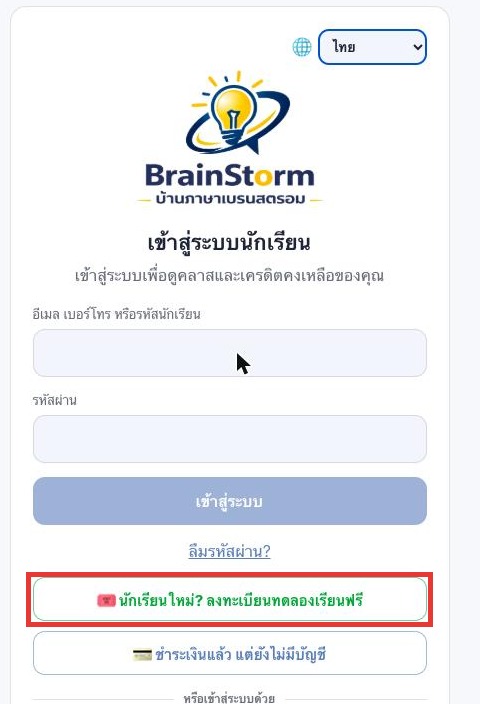
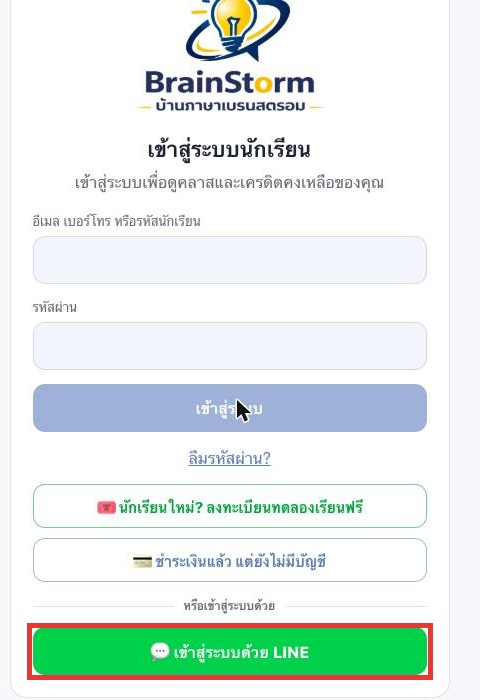
Open page Brainstorm student system Then press the button. 'New student? Register for a free trial lesson.' Fill in just 3 things: the student's full name, at least one contact method (phone number, email, or LINE ID), and tick the box to allow being contacted — registration is complete. The system will then create an account.One free trial lesson credit.Automatic
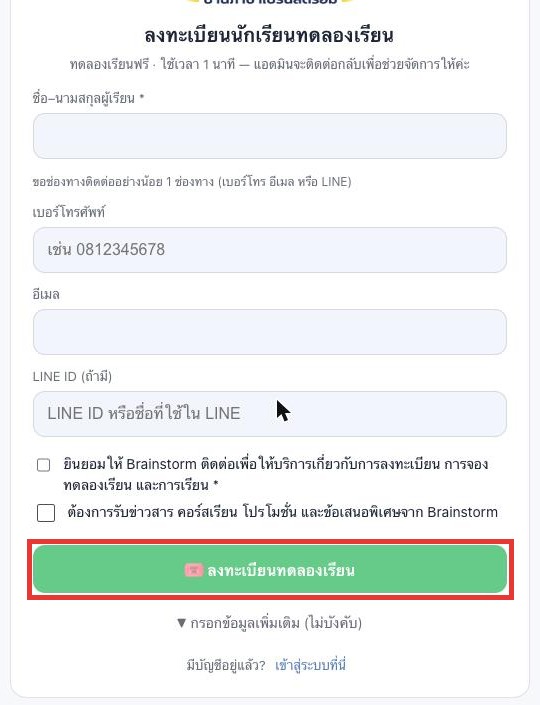
recommend: Entering your LINE ID is the most convenient way — the system will link your account to your LINE. Next time you log in, you can use the LINE button without needing to remember your password.
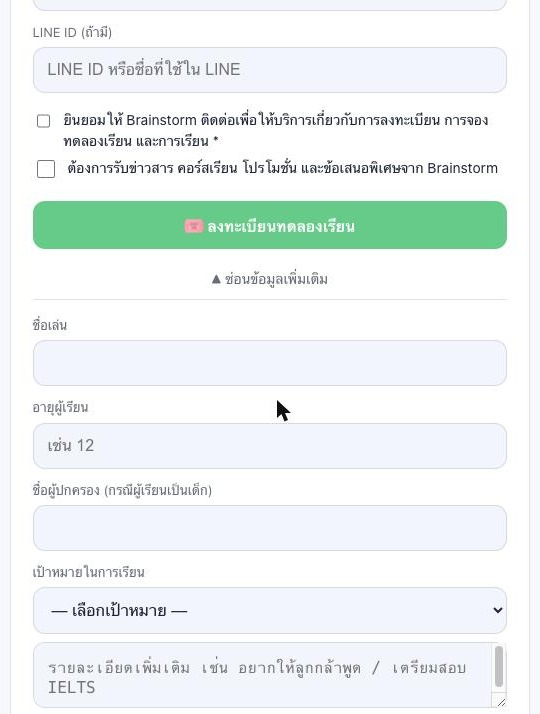
▼ There's also a 'Additional Information (Optional)' field.
If you'd like to share more about the student, such as their nickname, age, parent's name (if the student is a child), and learning goals, this information will help our team select the most suitable course and coach.
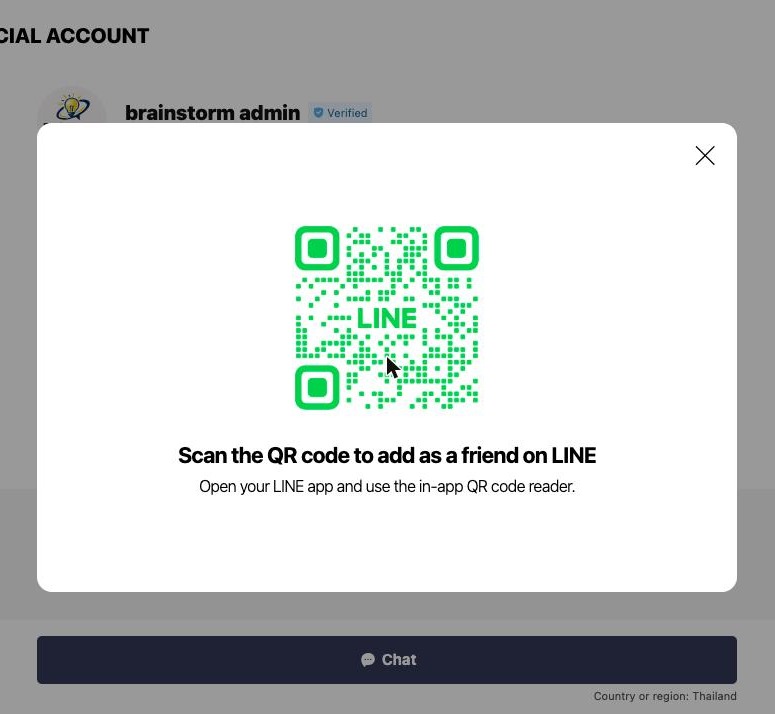
Add the LINE OA account “Brainstorm admin” as a friend.
Click the link lin.ee/wMjzerX On your mobile phone, press “Add Friend” in the LINE app (if you're opening it on a computer, there will be a QR code to scan with your mobile phone instead) — the school's account name is... “Brainstorm admin” There is a blue Verified mark.
This step is important because the administrator will use this LINE account to contact you to schedule your lessons. Once your account is linked to LINE, you can easily log in using the LINE button.
Log in and take a free CEFR level test.
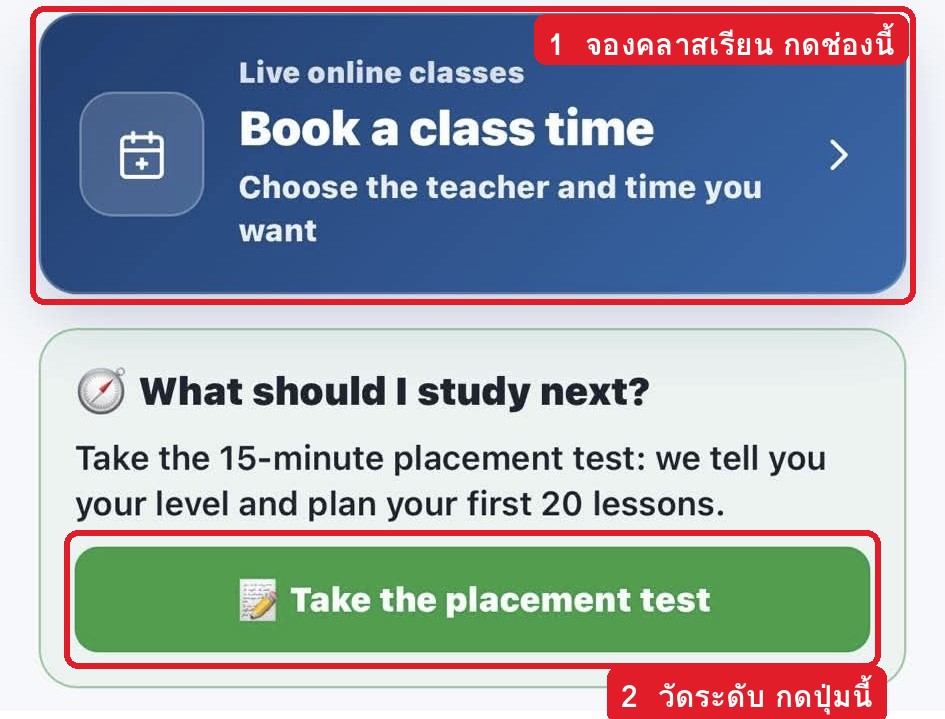
Return to the student system page and press the button. 'Log in with LINE' (Or you can use your email/phone number/student ID + password) — Once logged in, you will see two main buttons: 'Book a class time' For booking classes and... “Take the placement test” To take a placement test, click 'Take the placement test' and you will immediately see your CEFR level (A1–C2) in the system. The results are saved to your account, and our team uses these results to recommend courses and coaches that are appropriate for your level.
important: Assessment is done only through the student system (you must log in first to see the test results and have them saved — there are no tests on the website.)
The administrator will contact you to schedule a trial lesson.
Our admin team will contact you via LINE (or phone/email, using the contact method you provided) to inquire about your goals, recommend courses and coaches suitable for your assessment results, and schedule a trial lesson for you.
The trial class is...Live 1-on-1 classes with international coaches, 40 minutes per session, free of charge. Available class times: Monday–Friday 10:00–22:40 and Saturday–Sunday 10:00–16:40 (Thai time)
Attend live 1-on-1 classes via Microsoft Teams.
It's time for your scheduled class. Join the class via the Microsoft Teams link that the admin/coach sends via LINE. In the student system, you will see your scheduled classes and remaining credits at all times.
Just a little preparation: Install the Microsoft Teams app beforehand. Join the room 5–10 minutes early. Use headphones/microphone and a stable internet connection.
Take a free CEFR English level test in the student system.
What do we gain from measuring levels?
- Takes approximately 15 minutes — Discover your CEFR level (A1–C2), the same international standard as IELTS/TOEFL/TOEIC, and get a plan for your first 20 lessons.
- The team used the rating results to recommend the right course from 21 courses and matched them with coaches of the appropriate level.
- Start learning from the right point; don't waste time repeating what you already know.
- It can be done immediately after logging in, it's free of charge — you'll see immediate results in the system, and the results will be saved to your account.
Want to learn about the different CEFR levels first? You can read about them here. Our CEFR level guide.
Are you ready to take the level test?
Register in 1 minute, log in, and click the “Take the placement test” button — see the results instantly in the system.
Things to know before taking a trial lesson.
Booking and rescheduling classes.
Book or reschedule your class at least 3 hours in advance. For urgent evening bookings (6 PM – 10 PM the same day), please contact the admin via LINE. Our team will help coordinate with a coach for you.
Required equipment
You can learn using your mobile phone, tablet, and computer — all you need is the Microsoft Teams app, a stable internet connection, and headphones/microphone.
Forgot your password?
Click 'Forgot Password?' on the login page or contact the admin via LINE. (If you've already linked your account with LINE, you almost never need a password again.)
Payment has been made, but there is no account yet.
No need to register for a trial lesson again — just use the 'Paid but don't have an account' button on the login page.
Truly free, no conditions attached.
Try a free trial lesson and placement test – 100% free, no credit card required, and no obligation to continue studying.
Ready to begin? It only takes 1 minute.
Register today and receive one free trial lesson credit, along with a free CEFR level assessment in our system.
Do you have any further questions? Contact us · View packages and prices. · View all courses